WoW Forever guide

Best WoW Forever add-ons

The add-ons worth installing for World of Warcraft: Forever, from the five I'd call must-haves to the ones for what you do in the game: guild tools, leveling, tanking, healing, damage, crafting and world PvP. Every one has a Forever version. Where the add-ons folder is, what the game already does without them, and what I left out.

Home › WoW Forever › Add-ons

28cards, each one checked for a Forever version
7kinds of player to filter by
_forever_the folder they live in
0you need to play
If you only read one thing

The short version

You don't need a single add-on to play Forever. Install the ones that fix something that bugs you, and leave the rest.

THOMAS, DLONEM

The five I'd call must-haves: iRC: Guild Connect if you are in a guild, DungeonJournal for dungeons, GearQuest for upgrades, Auctionator for gold, and Leatrix Plus for the small annoyances. Everything below is sorted by what you do, and the buttons show only the add-ons for one kind of player.

Every add-on here had a Forever version on CurseForge when I checked on 26 October 2026, except HonorBound, which lives on GitHub. Add-ons get updated, renamed and abandoned, so check the page before you install.

Before anything else

Setting up add-ons for Forever

Forever is its own game in the Battle.net app, so it has its own add-ons folder. Nothing from retail, Classic or the beta is used by it.

  1. Start Forever once. Get to character select and quit, so the game makes its folders.
  2. With the CurseForge app: pick World of Warcraft, choose WoW Forever as the game version, and install from there. It finds the Forever folder and only offers Forever files.
  3. By hand: download the Forever file, unzip it into _forever_\Interface\AddOns, and check you have AddOns\NameOfTheAddon, not AddOns\Interface\AddOns\NameOfTheAddon. A folder nested one level too deep is the most common reason an add-on does not show up.
  4. Restart the game fully and check the AddOns button at character select. Anything that is unticked there is not loaded.
  5. Coming from the beta? The beta used _classic_beta_. Install your add-ons again from their Forever versions rather than copying the beta's AddOns folder. If you want an add-on's old settings, copy its file from the beta's WTF folder into the same place under _forever_.

One manager per folder. If you use CurseForge, don't also point another add-on manager at the same folder: two of them updating the same add-ons get in each other's way.

Already in the game

What Forever does without add-ons

A few jobs that needed an add-on in Classic are in the game now, which is why some old favorites are optional here:

  • Quest objectives and turn-ins. The map and the quest tracker show where to go for the quests in your log. Quests you have not picked up yet are not shown; that is the gap Questie fills.
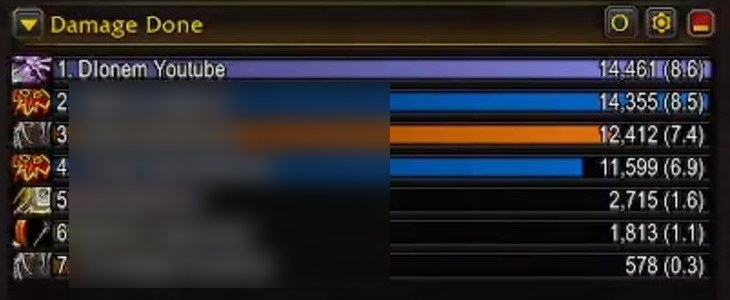
  • A damage meter and a cooldown manager, from Blizzard.
  • Group Finder, to find people for a dungeon. It does not build the group for you.
The game's built-in Damage Done meter after a pull, with Dlonem Youtube first and six other players' names blurred
The game's own damage meter after a Hall of Thanes pull. Other players' names are blurred.

Blizzard has said Forever shares retail World of Warcraft's interface code and its limits on add-ons, so add-ons can change how the game looks and what it tells you, not play it for you.

Play together

Guild tools

If you are in a guild, these are the two worth having. The first one only works if most of the guild runs it, so it is worth asking your officers.

Guild

iRC: Guild Connect

A companion add-on for guilds. It shares everyone's professions and recipes, gives the guild a home page with its rules, and has an optional guild map that shows where members are out in the world.

  • The guild master switches the map on, and you only see members who run the add-on too.
  • Officers get roster tools, welcome messages, and a browser of other guilds and their leaderboards.

The Gray Company runs this one. It is the add-on I ask every member to install.

Guild

I Remember You

Save a note on a player, from their character frame or their name in chat, and it tells you when you meet them again, such as when they join your group.

Good for remembering the healer who carried you, or the one who rolled on everything.

1 to 60

Leveling and questing

Leveling add-ons fall into two groups: guides that tell you where to go next, and helpers that make the map and quest windows nicer. You need at most one guide.

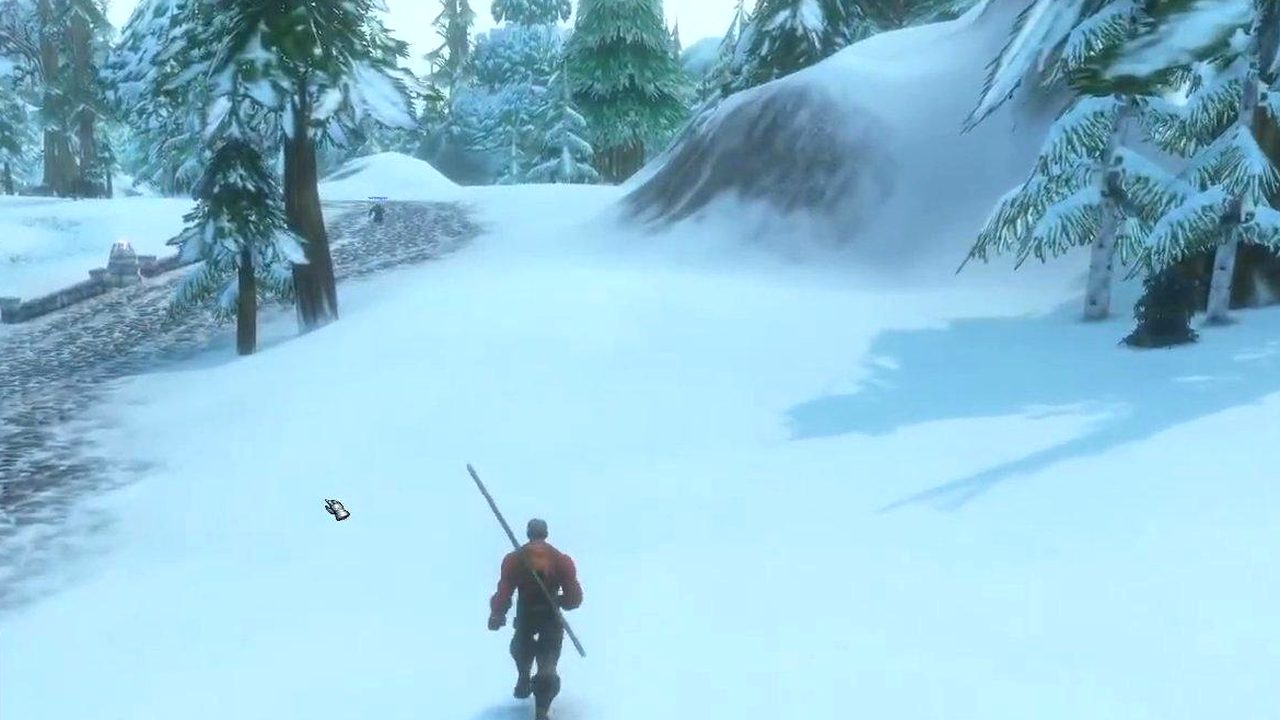
A Human Warlock walking down a snowy road in Dun Morogh, between pine trees
Dun Morogh on my beta Warlock. Most of leveling looks like this: a road, a quest, the next road.
Leveling

RestedXP Guide

A step-by-step leveling route with an arrow pointing to the next step, and automatic quest accept and turn-in.

  • The starting zones are free: up to level 20 on the Alliance and 22 on the Horde.
  • The routes after that are sold on the RestedXP website.
Leveling

Guidelime

A free leveling guide. It ticks off quest progress and kills by itself where it can, and an arrow points to the next step.

  • Guides are separate add-ons. TUGs' guide pack lists Forever and covers both factions.
  • Its code is public on GitHub, but its licence is all rights reserved, so it is free rather than open source.

The free answer to RestedXP.

Leveling

Questie

Marks quest givers, objectives and turn-ins on your map and minimap, including quests you have not picked up yet.

  • Forever already shows objectives and turn-ins for the quests in your log. What Questie adds is the quests you have not found yet.

Skip it if half the fun for you is finding quests yourself.

Leveling

PathForever

Made only for Forever: the trainer skills you get at each level, your class quest chains step by step, and which zones fit your level.

  • It also has a dungeon journal with the new Forever dungeons, and tracks gold, professions and rested experience across your characters.
Leveling

TomTom

Set a waypoint by command or by clicking the map, and a floating arrow points the way with the distance to go.

Leveling

Leatrix Maps

Reveals the parts of the map you have not explored yet, and adds coordinates, extra icons and a map you can resize.

Leveling

Immersion

Swaps the quest and dialogue windows for a cleaner one. Accept quests and click through dialogue with one key, or pick options with the number keys.

I run this one myself. It makes talking to a quest giver feel more like a conversation.

Upgrades

Gear

Two ways to think about upgrades: what to go and get next, and whether the thing in your bags beats what you are wearing.

LevelingTankHealerDamage

GearQuest

Right-click a gear slot to see the best upgrades for your class, spec and level, and where each one comes from.

  • It keeps the items you are hunting in a list like a quest log, and tells you when one drops.
  • It is still in beta. Its author warns the data can be incomplete while talent trees are still changing.
Leveling

Pawn

Puts an upgrade arrow on gear that is better than what you are wearing, so a quest reward choice takes a second instead of a minute.

I used it for years in Classic and in retail.

TankHealerDamage

AtlasLoot Classic Forever

Loot tables for the dungeons and raids, with best-in-slot lists for every class and spec shown on item tooltips.

Tanks, healers, damage

Dungeons

Dungeons are where add-ons earn their place. Everyone benefits from a journal and boss warnings; tanks want to see threat, and healers want to heal by clicking a frame.

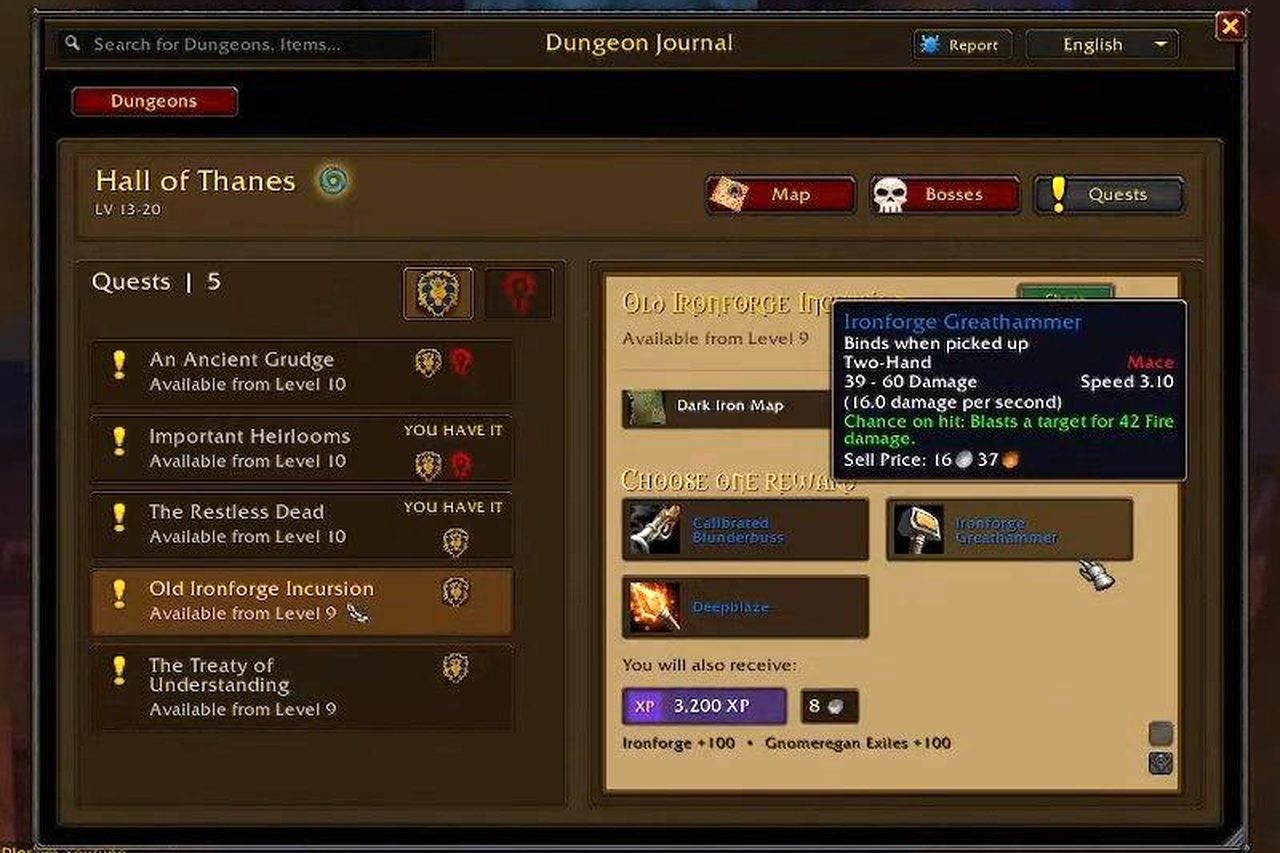
The DungeonJournal add-on open on Hall of Thanes, listing five quests and the rewards for Old Ironforge Incursion
DungeonJournal open on Hall of Thanes during my beta run: the dungeon's five quests, and the rewards for Old Ironforge Incursion.
TankHealerDamage

DungeonJournal

Every boss, its loot, and the dungeon's quests and their rewards in one window. Click a quest to see where it starts on the map.

  • Open it with /dj.

This is the window in the picture above. I had it open for the whole Hall of Thanes run.

TankHealerDamage

Details! Damage Meter

Damage and healing meters with breakdowns by spell and by fight.

  • Forever has a basic damage meter built in. Details is for when you want to see where the numbers came from.
TankDamage

ThreatClassic2

A simple threat meter: whose turn it is to be hit next.

  • Tanks see who is about to pull an enemy off them. Damage dealers see how close they are to pulling it.
TankDamage

Plater Nameplates

Nameplates that change color with aggro out of the box. For a damage dealer a red plate means the enemy is on you; for a tank, the colors mean the opposite.

  • Threat Plates does the same job and also has a Forever version. Use one nameplate add-on, not both.
Healer

Clique

Click-casting: heal by clicking a party or raid frame, with a different spell on each mouse button and modifier key.

  • CurseForge lists Forever among the versions it supports.
TankHealerDamage

Deadly Boss Mods or BigWigs

Timers and warnings for boss abilities, so you see the big hit coming. Both do the same job.

  • Use one of them, not both. You will want one by the time you raid.
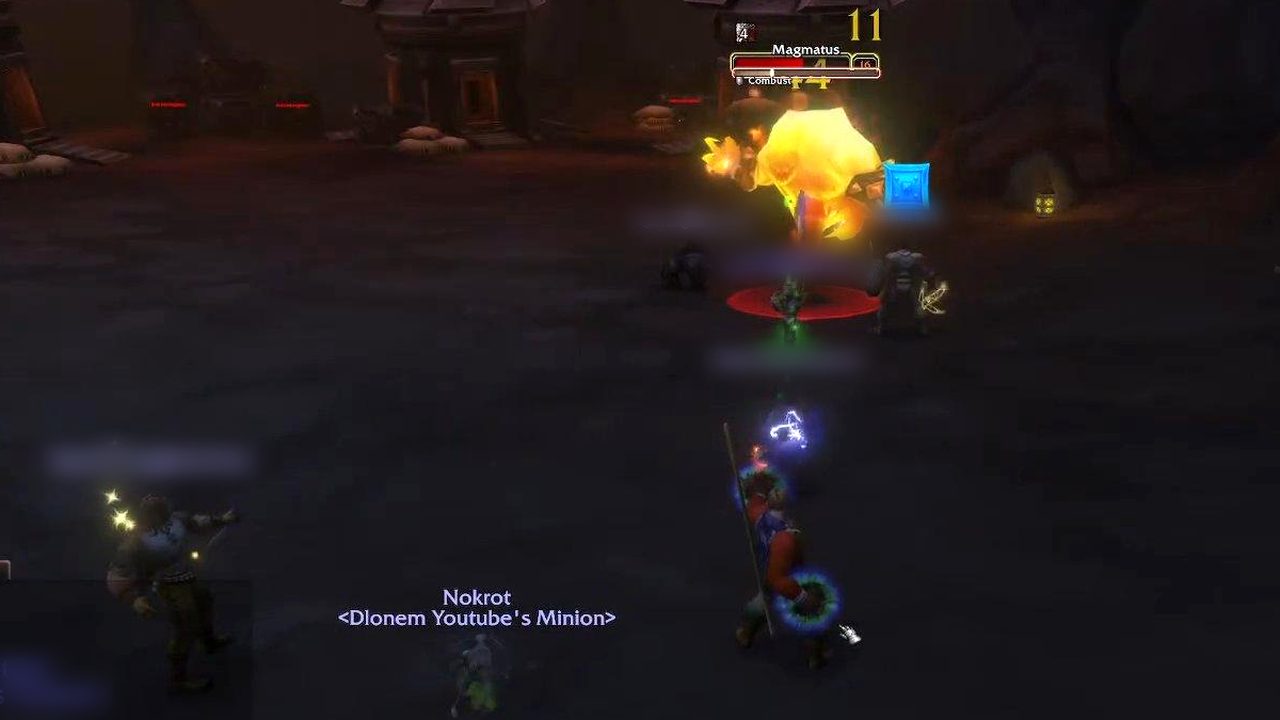
Magmatus casting Combust in the cavern, with the group's totems on the ground
Magmatus in Hall of Thanes. A boss warning add-on is what tells you the big cast is coming.
Professions and gold

Crafting and gold

Professions are a bigger deal in Forever than in Classic: Blizzard's developers put the number of new recipes at over 600. These make leveling them, and selling what you make, much less work.

Crafting

Mastercraft

Profession guides from 1 to 300 with recipe picks and trainer and vendor locations, plus auction prices, a gathering map, cooldowns and a search for crafters in your guild.

If you only take one profession add-on, take this one.

Crafting

Auctionator

Faster auction house scans, prices in item tooltips, and simpler buying and posting. It can also tell you whether a craft makes money.

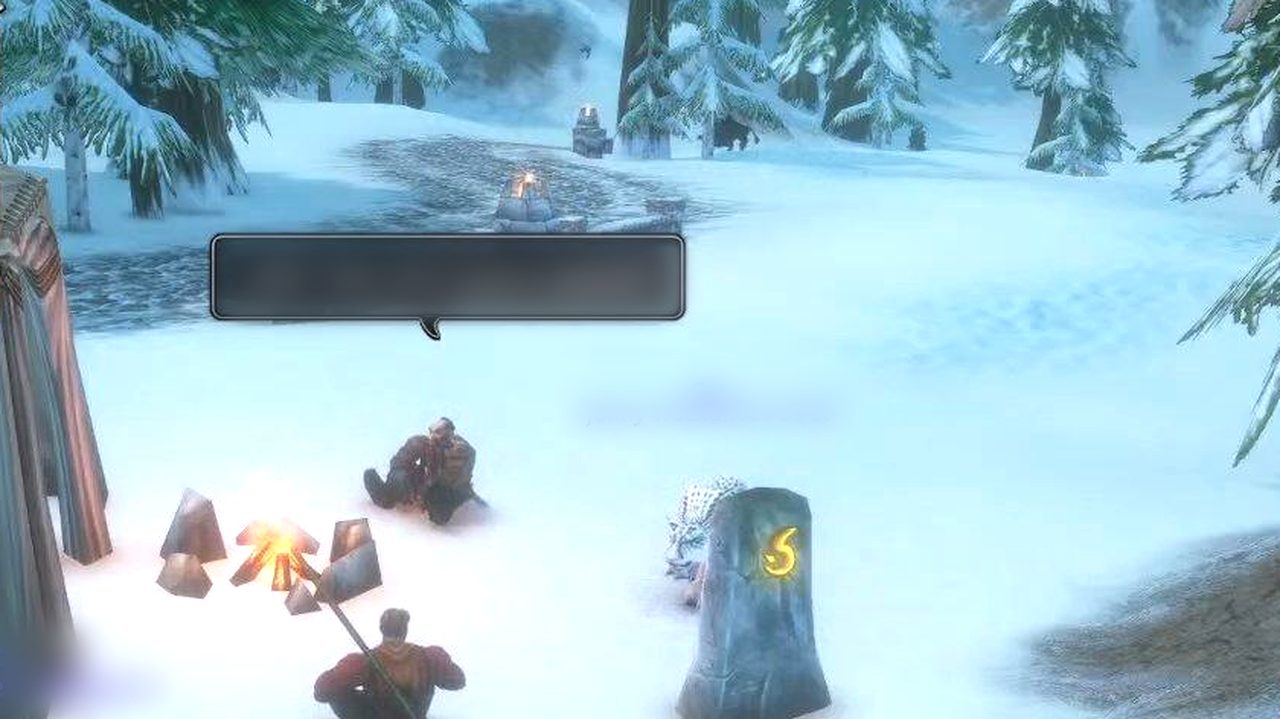
Two players sitting by a campfire in the snow in Dun Morogh, with a hunter's snow leopard pet nearby
A campfire in Dun Morogh during the beta. Campfires are where Forever's professions meet other players.
One for the Hunters

Hunters

Hunters get their own section because taming is half the class. The Hunter card has what changed for pets in Forever.

DamageLeveling

TrueshotLodge

A pet book for Hunters: every tameable beast with its abilities and ranks and where to find it, plus pet trainers and attack speeds.

  • It is new and small, but it is written for Forever, where every pet family now has its own ability.
For everyone

Interface

Four that every player can use, whatever they play.

Everyone

Bartender4

Replaces the action bars: move and resize every bar, add more of them, and choose when each one shows.

Everyone

Leatrix Plus

A long menu of small quality-of-life changes. Every one starts switched off, so you turn on only what you want.

Everyone

Bagnon

All your bags in one searchable window, with your bank as well.

Everyone

BugSack

Catches add-on errors quietly instead of popping them up in the middle of a fight, and keeps them so you can copy one for the add-on's author.

  • It needs its companion add-on, BugGrabber, which does the catching.
On any ruleset

World PvP

How much world PvP you see depends on your ruleset. On PvP you are flagged in contested zones whether you like it or not. On Normal you only fight other players if you turn PvP on yourself: type /pvp, or right-click your portrait. Roleplay-PvP was added for release; Blizzard hasn't published separate rules for it. The ruleset guide has the details.

I play on Normal and turn PvP on when I feel like a fight. These three make that more than wandering around hoping. The world PvP guide goes deeper: how flagging works on Normal, and how War Effort and Overlord Forever work together.

World PvP

War Effort

Everyone running it is a scout. Enemy players you see are shared with your guild and faction and drawn live on the map, with an alert when they come close.

  • Only enemies with PvP on count, and only in the open world, so it is busier on the PvP ruleset than on Normal.
  • On Normal and Roleplaying, what you see is only shared while you are flagged yourself. Unflagged, you still see everyone else's sightings.
  • Keep enemy nameplates on (Ctrl+V): that is how it sees enemies.
  • Scout ranks, daily contracts and a guild leaderboard, and it works with Overlord Forever.

I run it. It turns a quiet Normal evening into a reason to go and look.

World PvPGuild

Overlord Forever

A player-run war for the open world: capture points on seven fronts, Southshore against Tarren Mill among them, guild keeps and outposts, and weekly rankings.

  • Normal, PvP, Roleplaying and Hardcore keep separate standings.
  • You need PvP on to capture a point.
World PvP

HonorBound

Swear an oath and it keeps your character flagged for PvP. If anything turns your flag off, your next key press turns it back on. Sworn players show a crest you can see if you run it too.

  • Stay unflagged for five minutes and the oath breaks.
  • It is not on CurseForge. Download it from GitHub and unzip it into your AddOns folder.
  • It was written when Forever had no Roleplay-PvP ruleset. On Normal it is a way to stay in the fight on purpose.
And why

What I left out

WeakAuras. The add-on most people ask about, and it has no Forever version. Its team said in October 2025 that it would not make a version for retail's Midnight expansion, because Midnight's new add-on limits took away too much of what it does. Forever shares those limits. Its built-in cooldown manager covers part of the job.

ElvUI. It has never been on CurseForge; it comes from the Tukui site. In October, the sites that track Forever add-ons disagreed on whether its current release supports Forever, so check Tukui's own page before you build a UI on it.

Zygor Guides. Paid, and not listed with a Forever version. RestedXP and Guidelime cover the same job.

Add-ons with a handful of users. There are lots of brand new Forever add-ons. I left out the ones whose own authors call them an early test, such as ForeverCallToWar, and the ones nobody seems to use yet. TrueshotLodge is the exception, because nothing bigger does its job.

If you think something belongs on this list, tell me in the guild Discord.

When something breaks

Keeping add-ons healthy

  • Update after every patch. An add-on built for the last version can throw errors after an update. Let your manager update everything before you log in.
  • Errors at login? At character select, open AddOns, untick everything, and turn them back on a few at a time until the error comes back. The last one you turned on is the culprit. BugSack names the add-on behind an error, which saves most of the guessing.
  • Two add-ons, one job. Two nameplate add-ons, or two boss mods, fight over the same thing. Keep one.
  • Only use the Forever file. A retail or Classic file in the Forever folder may load and then break.
Quick answers

Questions

What are the must-have add-ons for WoW Forever?

None is required: Forever plays fine without add-ons. The five I'd install first are iRC: Guild Connect if you are in a guild, DungeonJournal for dungeons, GearQuest for upgrades, Auctionator for gold, and Leatrix Plus for the small annoyances. After that, pick by role: the filter at the top of this page shows the ones for yours.

Do add-ons work in WoW Forever?

Yes. Blizzard confirmed add-ons for Forever. It shares retail World of Warcraft's interface code and the same limits on what add-ons may do, so an add-on needs a Forever version: a retail or Classic version on its own is not enough.

Where is the WoW Forever add-ons folder?

In your World of Warcraft folder, under _forever_\Interface\AddOns. Each add-on is its own folder inside AddOns. If the folder is not there yet, start Forever once and get to character select, then quit.

Why are my add-ons not showing up in WoW Forever?

Usually one of three things: the add-on is in another game's folder (it has to be _forever_\Interface\AddOns, not _retail_ or _classic_beta_), it is nested one folder too deep, or it is unticked in the AddOns list at character select. A retail or Classic file in place of the Forever one can also fail to load.

Did my beta add-ons carry over?

No. The beta kept its own folder, _classic_beta_. Install the Forever versions of your add-ons again. If you want an add-on's old settings, copy its file from the beta's WTF folder into the same place under _forever_.

Do I need Questie in WoW Forever?

Not to finish quests: Forever already marks objectives and turn-ins for the quests in your log. Questie adds the quests you have not picked up yet, which the game does not show.

Does WoW Forever have a built-in damage meter?

Yes, and a cooldown manager. Details! is still worth it if you want breakdowns by spell and by fight.

Does WeakAuras work in WoW Forever?

No. It has no Forever version. Its team said it would not make one for retail's Midnight expansion because of Midnight's new add-on limits, and Forever shares those limits. The cooldown manager built into Forever covers part of what it did.

Does ElvUI work in WoW Forever?

Check before you count on it. ElvUI comes from the Tukui site rather than CurseForge, and in October the sites that track Forever add-ons disagreed on whether its current release supports Forever. Tukui's own page is the one to trust.

Can I use CurseForge and another add-on manager together?

Better not on the same folder. Two managers updating the same add-ons get in each other's way. Pick one.

Which add-ons does your guild use?

iRC: Guild Connect, for everyone in The Gray Company. The rest is up to each player; I also run War Effort for world PvP.

Updated automatically

Latest WoW Forever news

Play with people

Find a guild

WoW is better with people, especially in a game where nothing forms groups for you. If you play Alliance on the Normal ruleset in North America, The Gray Company is my guild: leveling and social, every time zone welcome. In game, send people to dlonem.com/gray. I post WoW Forever Shorts and streams on YouTube too.

Checked

Sources

Checked on 26 October 2026. Every card links the add-on's own page, which is where its features and its Forever version were checked. Add-ons change fast; the add-on's page is the final word.

World of Warcraft is a trademark of Blizzard Entertainment. This is a player's guide, not an official Blizzard page. Screenshots are from my own stream.